BlueFerry documentation
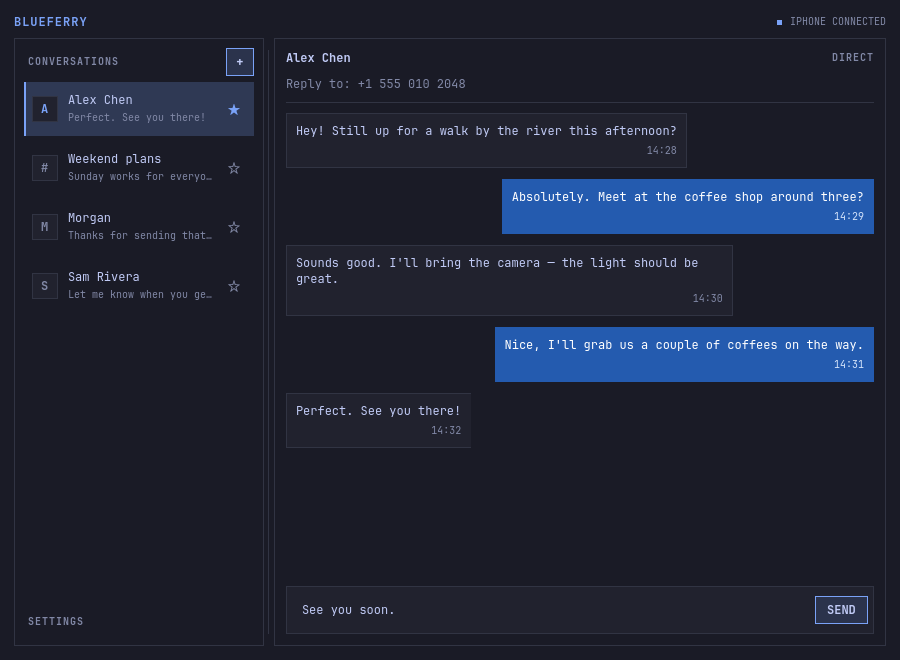
BlueFerry brings SMS, RCS, and iMessage from a paired iPhone to the Linux desktop over Bluetooth.
About these pages
Every page is plain Markdown and reads fine on GitHub without any tooling.
Links between pages are ordinary relative links. Files outside docs/, such as
ARCHITECTURE.md,
are linked on GitHub instead of copied, so they keep a single source.
The pages are organized by language:
| Folder | Content |
|---|---|
en/ |
English user and developer guide |
de/ |
German user guide and developer overview; other developer pages link to English |
images/ |
Screenshots and logo, copied from website/public/assets/ |
Website build
The landing page in website/public/ is plain HTML, CSS and JavaScript. The
documentation site is built with
Zensical, the successor of Material for MkDocs. It
reads the mkdocs.yml in the repository root.
./website/build.sh
The script needs Python 3 with venv and installs the pinned requirements in
a temporary environment. It builds with --strict and writes to
website/public/docs/, which Git ignores. Build errors stop the upload.
The configuration uses no third-party plugins, so it also builds with MkDocs and the Material theme:
./website/build.sh mkdocs
Diagrams are Mermaid code blocks. GitHub renders them natively, and the site build loads Mermaid in the browser.
Publishing
The site is directly uploaded to the existing Cloudflare Worker
snowy-brook-1958, attached to blueferry.weirdware.io. It is an assets-only
Worker, not a Pages project. website/wrangler.toml records its configuration
and runs the local strict build before every upload. No GitHub Actions job or
Cloudflare build is needed.
The site is meant to be served at https://blueferry.weirdware.io/docs/; the
language switcher and some German navigation entries use absolute /docs/...
paths. The landing page links there, and website/public/_headers gives
/docs/* its own Content-Security-Policy, because the documentation theme uses
inline scripts, fetches its search index and GitHub repository information,
and loads Mermaid from unpkg.com, which the landing page's policy forbids.
Upload a preview of the complete website/public/ directory, check it, then
promote that exact version to production. The commands are in the
website deployment guide.